Every job site, newest jobs first
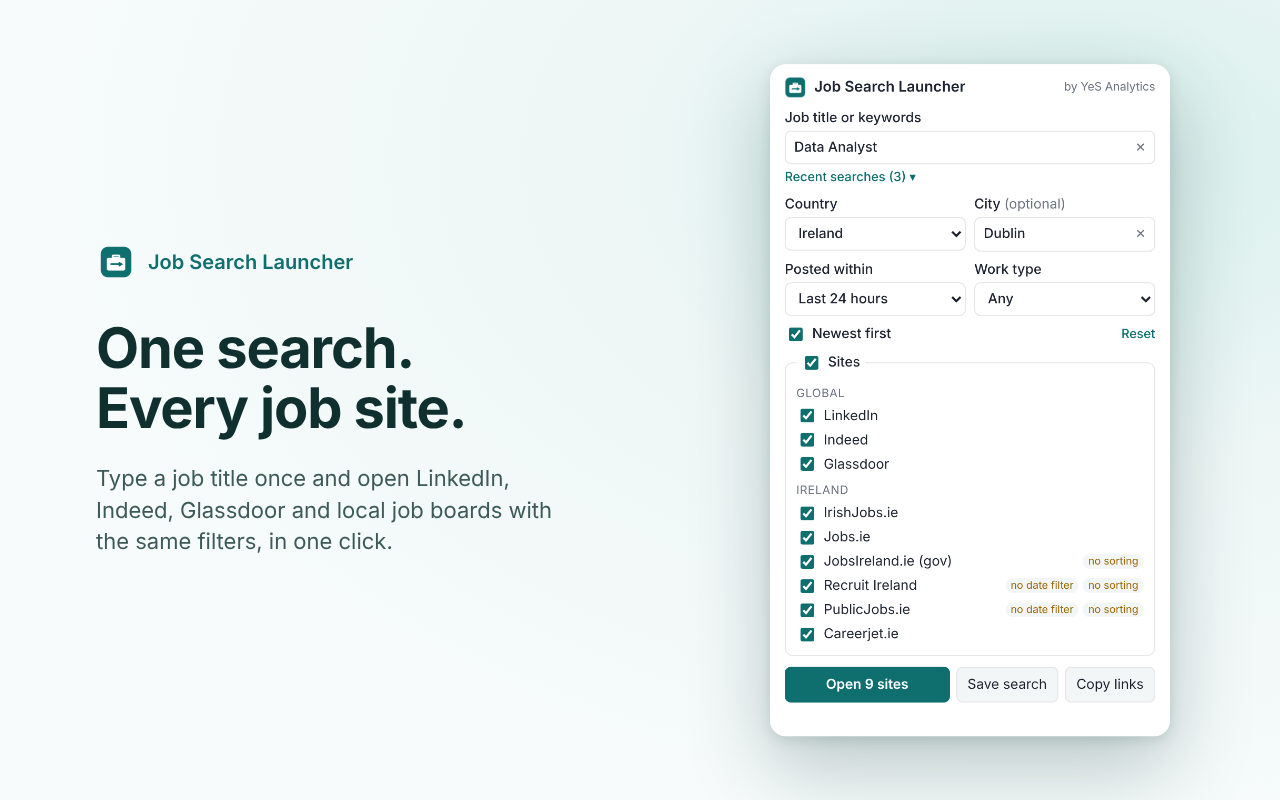
Type a job title once and open LinkedIn, Indeed, Glassdoor and local job boards with the same filters, in one click. Results open in one tab group, sorted by most recent wherever the site allows.
Free. No sign-up. No data collected.
What it does
Less typing, fresher jobs, no tab chaos.
One search, every site
Enter the job title, country, city, how recent the jobs should be and the work type once. The extension builds the right search link for each site and opens them all in one click.
Newest jobs first
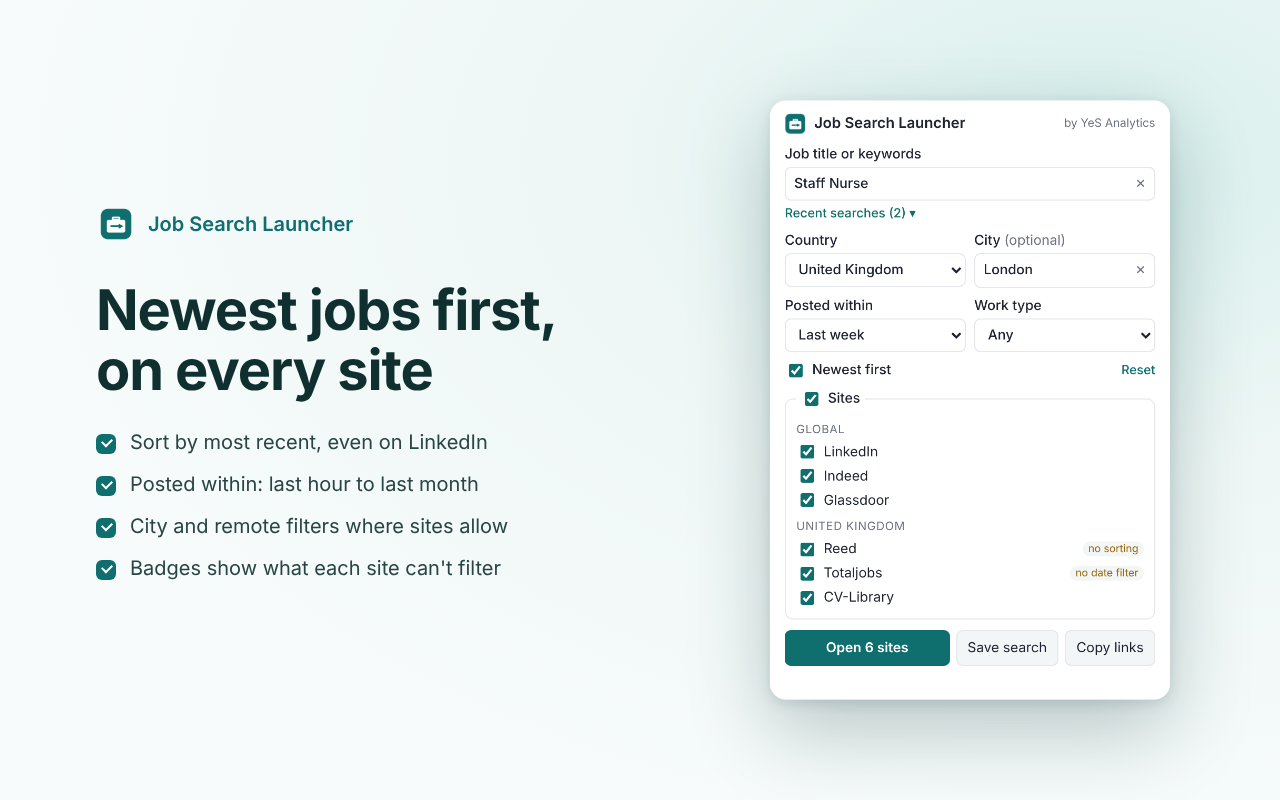
Sorts by most recent wherever the site allows, including LinkedIn's classic search. Posted within: last hour, 24 hours, 3 days, week or month. A small label shows when a site cannot apply a filter.
Tidy and repeatable
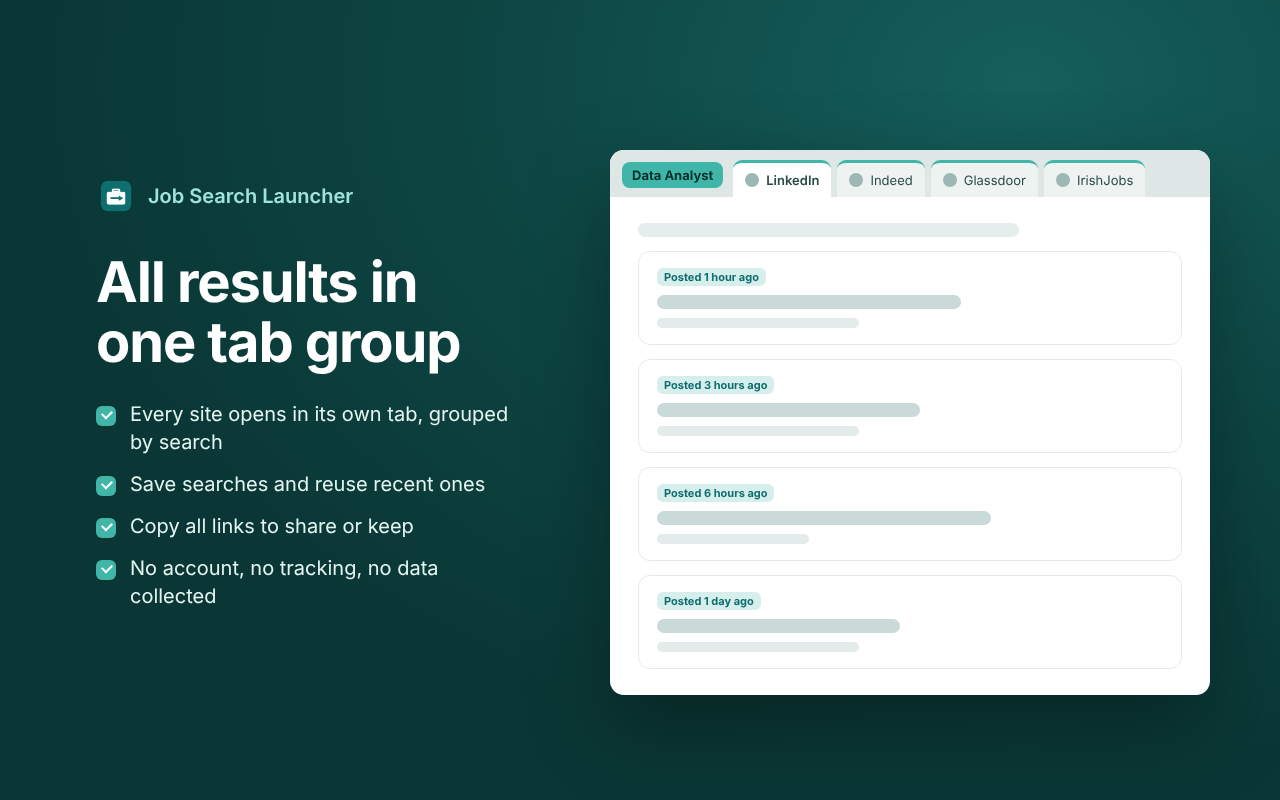
All results open in one tab group named after your search. Recent searches, up to 20 saved searches, job title and city suggestions, and a tab that fails to load is reloaded automatically.
Which job sites
Global sites for 13 countries, plus local job boards for Ireland, the UK and Ukraine.
Global
LinkedIn (13 countries), Indeed (12 countries) and Glassdoor (Ireland, UK, US).
Ireland and the UK
IrishJobs.ie, Jobs.ie, JobsIreland.ie, PublicJobs.ie, Recruit Ireland and Careerjet.ie. In the UK: Reed, Totaljobs and CV-Library.
Ukraine
Work.ua, Robota.ua, Djinni and DOU, with each site's own spelling of 18 Ukrainian cities, so a city filter just works.
Missing a site or a country? Tell us.
How to install and use it
It takes about a minute.
- Open the extension page in the Chrome Web Store and click Add to Chrome.
- Pin it so the icon is always visible. Click the puzzle icon in Chrome's toolbar, then the pin next to Job Search Launcher.
- Click the icon, type a job title and pick a country. Add a city, how recent the jobs should be and a work type if you like.
- Tick the sites you want and press Open. Every site opens in its own tab, grouped under the name of your search. Press Save search to reuse it later in one click.
Questions
Is it really free?
Yes. There is no sign-up, no ads and no paid tier.
Does it collect my data?
No. Your searches stay in your own browser. The extension cannot read the pages you visit. It only notices whether its own tabs finished loading, so it can reload one that failed. Read the privacy policy.
How is it different from the web version?
The web version has the same sites and filters and works on phones too. But a web page may open only one tab per click unless you allow pop-ups, and it cannot group tabs. The extension opens every site in one click, puts them in one tab group and reloads tabs that fail to load.
Does it apply to jobs for me?
No. It only opens the searches. You read the jobs and apply yourself, on each site, under your own account.
Is it connected to LinkedIn or the other job sites?
No. It is an independent free tool by YeS Analytics and is not affiliated with or endorsed by any job site listed. Questions or ideas: [email protected].
Help improve this tool
Missing a job site or a country? A link that opens the wrong search? An idea for the extension? Tell us. Every message is read.