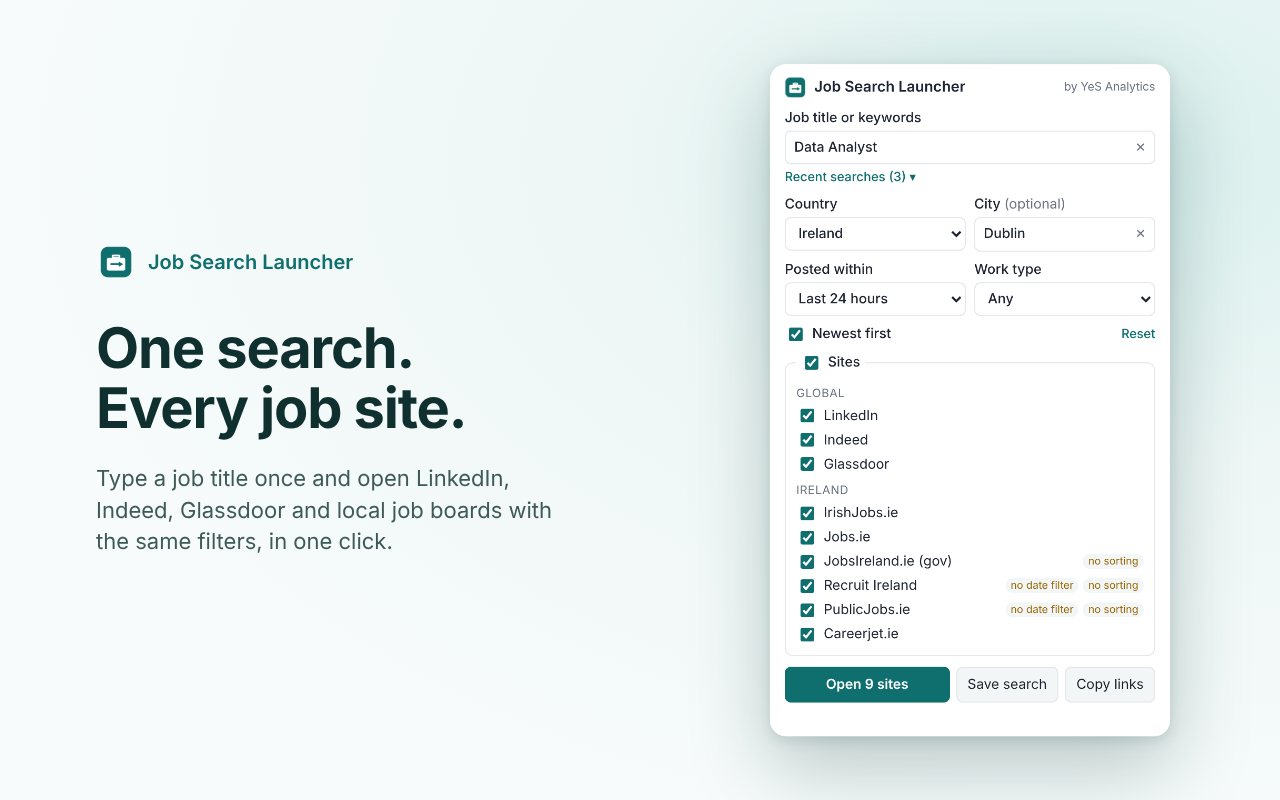
One search. Every job site.
Type a job title once and open LinkedIn, Indeed, Glassdoor and local job boards with the same filters, newest jobs first. No sign-up, nothing to install.
Job sites
Each site opens in a new tab. If your browser asks, allow pop-ups for this site.
- Keep pressing Open next: each click opens one more site.
- Or allow pop-ups once, and next time all sites open in one click.
How to allow pop-ups in your browser
Or use the Chrome extension: it opens all sites in one click and groups them in one tab group.
Even faster in Chrome
The free Job Search Launcher extension does the same from your toolbar, with a few extras a web page can't do.
- Opens every site in one click, no pop-up prompts
- Groups the results in one named tab group
- Reloads job sites that fail to load on the first try
- Saved searches, right in your browser
Questions
Why does only one tab open?
A web page may open only one new tab per click. If your browser blocks the rest, the button changes to "Open next" and opens one more site with each click, and a short guide shows how to allow pop-ups in your browser so that next time all sites open at once. The Chrome extension has no such limit and also puts the sites in one tab group.
Can the sites open in the background?
Not from the Open button: browsers always switch to a tab that a web page opens. To open one site in the background, hold Ctrl (Cmd on a Mac) and click its Open button, or click it with the middle mouse button.
What do the yellow labels mean?
Some job sites can't apply every filter from a link. For example, Recruit Ireland has no date filter and Totaljobs' own date filter is currently broken. The label tells you which filter that site will ignore, so there are no surprises.
Do you store my searches?
No. Your recent searches are kept only in your own browser (local storage) so you can reuse them. Nothing is sent to us. Clear them at any time with the ✕ next to each one.
Is this tool connected to LinkedIn or the other sites?
No. It is an independent free tool by YeS Analytics. It simply builds the same search links you would get by filling in each site's search form yourself.
Help improve this tool
Missing a job site or a country? A link that opens the wrong search? An idea for a filter? Tell us. Every message is read.